
10+
10+ years of software curation
Built from long-term observation of real downloads, real use cases, real feedback and real complaints.
Possibly the world’s smallest all-format image viewer. The portable archive is around 6M, yet it delivers complete image decoding for HEIC, AVIF, WebP, RAW, PSD and many more formats, with accurate color, fast response and a stable modern UI.
Presented by Guohe Software Blog
Guohe Software Blog has curated, tested and shared software for more than 10 years. That long-running view of real user pain points shaped GuoheView into a clean, ad-free, lightweight and fast image viewer.

10+
Built from long-term observation of real downloads, real use cases, real feedback and real complaints.
Needs
Slow startup, missing formats, ad interruptions and bloated interfaces were ruled out from the start.
0
No promotions, no popups, no resource grabbing. Just fast and accurate image viewing.
Why it stays small
The portable archive is around 6M, the installer is around 6M, and the full installed folder is only 12M. Powered by a self-written image decoder and a lightweight UI library, GuoheView stays tiny while still delivering broad format support, a polished modern interface and smooth, stable browsing.
Note: Since version 3.3.3, with more features added, the installer has grown beyond 6 MB.
View the open-source core-ui frameworkMeasured as app core plus necessary components, intended to show the size class difference.
Note: 2345 Picture Viewer is counted without its PDF reader; IrfanView is counted with necessary decoder plugins.
Real comparison
Most image viewers decode and load the whole image into memory. GuoheView uses viewport-based loading with a pyramid and tiled model, processing only what is visible and what will be needed soon, so huge images stay smooth with much lower memory usage.
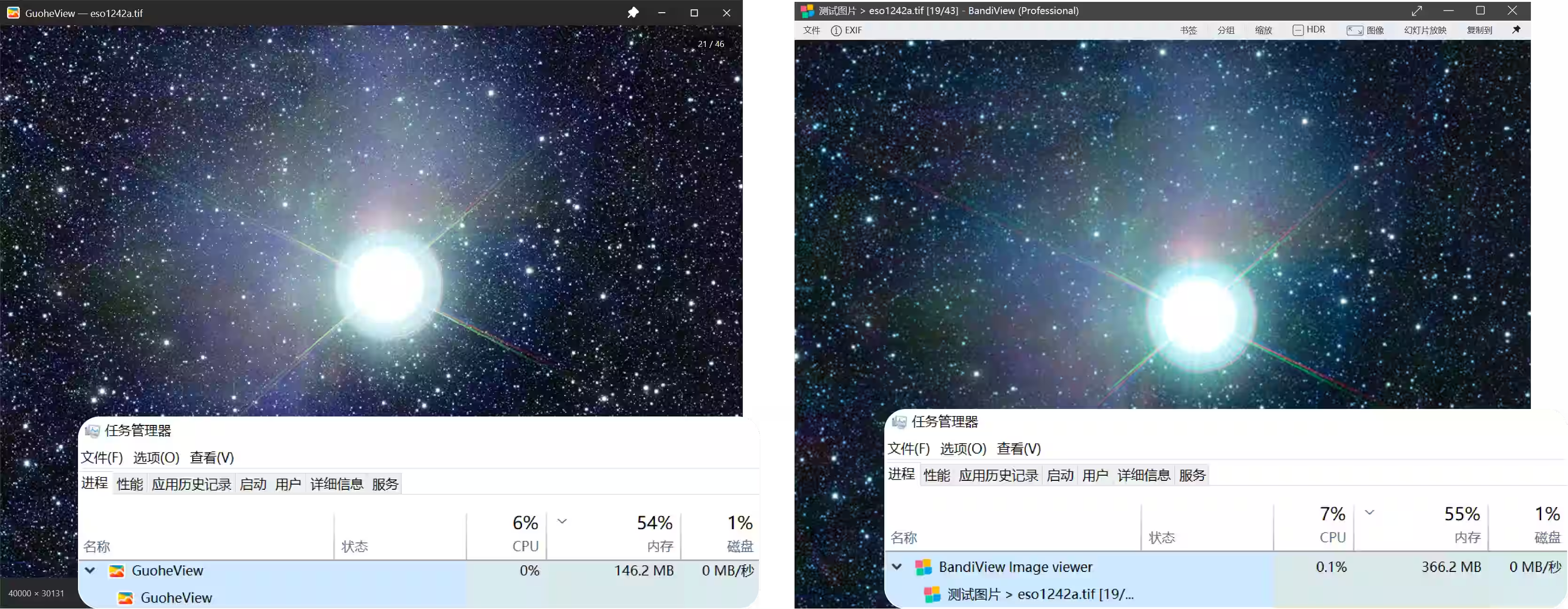
In extreme performance scenarios, GuoheView keeps browsing smooth with lower memory usage, staying lighter, steadier and faster on huge images.
Test image from ESO’s official VISTA 9-gigapixel mosaic of the Milky Way centre: eso1242a.tif (about 3.92G). Download
Built on a self-written image decoder, GuoheView unifies common images, modern efficient formats, camera RAW and design files into one decoding pipeline, with multi-threaded decoding for faster large-image opening and continuous browsing.
ghde
In-house decoder
JPG / PNG / GIF
HEIC / AVIF / WebP
RAW / CR3 / NEF
SVG / PSD / AI
Exclusive multi-threaded decoder
GuoheView uses in-house multi-threaded decoders for JPG, PNG, TIF and PSD, taking advantage of multi-core CPUs so common photos, transparent assets and professional large files all open quickly.
High-resolution photos open faster.
Transparent assets and large previews stay smoother.
Optimized for multi-page and high-resolution TIF files.
Design files preview without a long full-load wait.
Cold open timing using the same ESO Milky Way center TIF image shown above. Lower is faster.
GuoheView
first frame shown
original fully loaded
BandiView
original loaded
Test file: the ESO VISTA 9-gigapixel Milky Way center image shown above. GuoheView shows the first frame in 10ms and fully loads the original in 3s; BandiView fully loads it in about 16s. Image opening speed may vary by machine configuration.
Camera original support
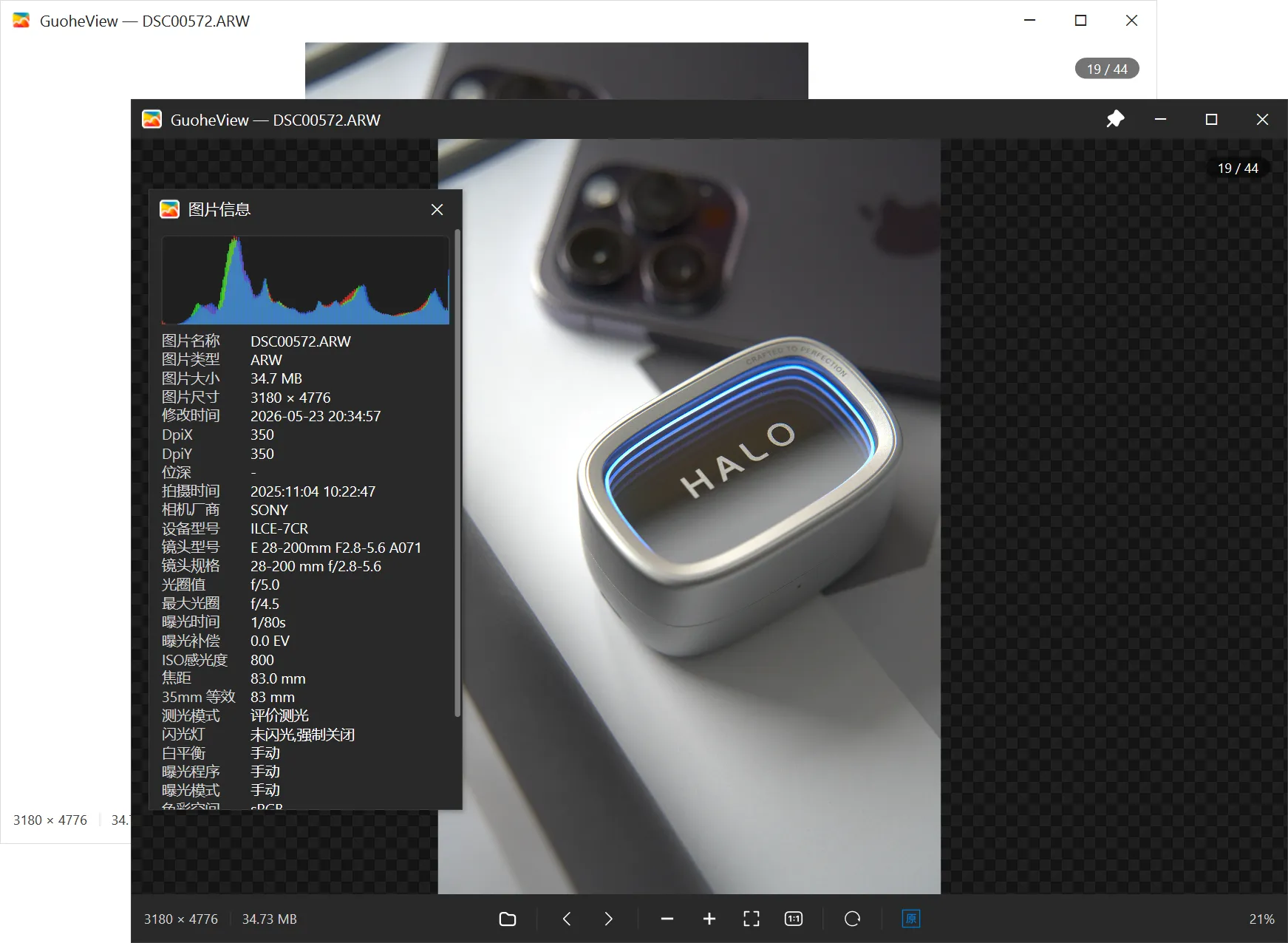
Optimized for photography workflows, GuoheView decodes camera RAW originals quickly and covers common camera original formats. Switch between the full original and the embedded preview to review fast or inspect real detail.
Fast camera RAW opening
Multi-threaded decoding reduces waiting time and keeps browsing responsive across large RAW folders.
Original / preview switch
Use preview for speed and the original for detail, making culling and inspection smoother.
Native SVG rendering
GuoheView parses SVG vector graphics natively instead of flattening them into low-resolution bitmaps. Thumbnails, fit-to-window viewing and large zoom levels keep lines, shapes and text crisp.
Text recognition (OCR)
Recognized locally, never uploaded. Image and text side by side, select to copy.
Text recognition ships as a separate plugin rather than bundled with the app — download it from the website when you need it.
Image editing
Highlight, hide private details, fix the framing, then save.
From decoding to rendering, every step serves performance and image quality.
The in-house ghde decoder opens large, high-resolution photos in a flash, so flipping through images has virtually no wait.
Built-in ICC color management reproduces wide-gamut photos accurately, so what you see is what you get.
Built on an in-house UI library, GuoheView keeps the package tiny while delivering a modern, refined and stable interface.
JPEG / PNG / HEIC / AVIF / WebP / TIFF / RAW / APNG… modern and professional formats all covered.
Available as an installer or optional portable edition. The portable package runs after unzip and is easy to carry in a toolkit drive.
Carefully tuned light and dark interfaces, easy on the eyes during long viewing sessions.
Download
Go to the download page for the latest release and start using a lightweight, clean and fast modern image viewer.